What was said,
remembered for you
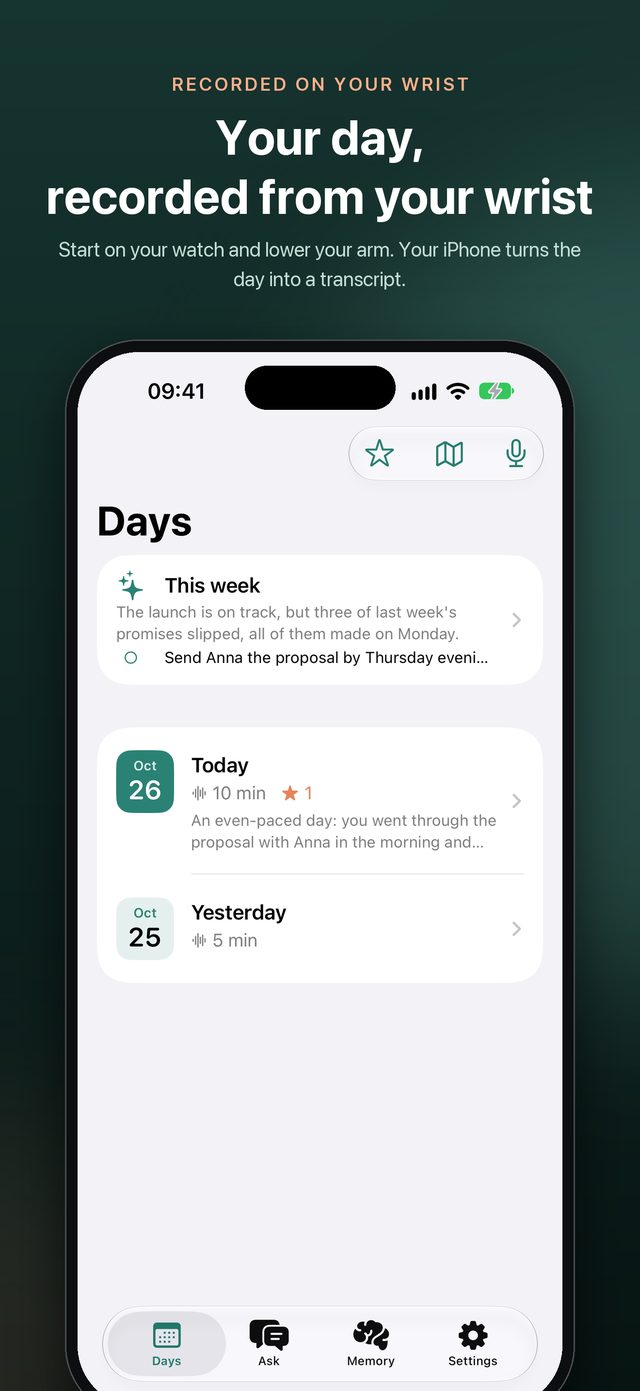
Start on your watch and lower your arm. Your iPhone turns the day into a transcript on device, writes its review, remembers what you promised, and each week tells you what matters most.
Three steps
Live your day; it takes care of the rest
No need to open the app or keep looking at your phone. The watch records, the iPhone sorts it out, and you look when you want to know.
Start on your wrist
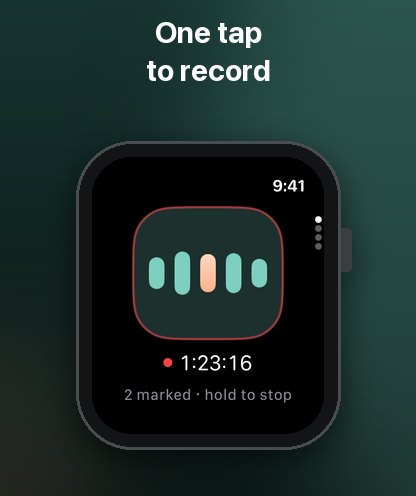
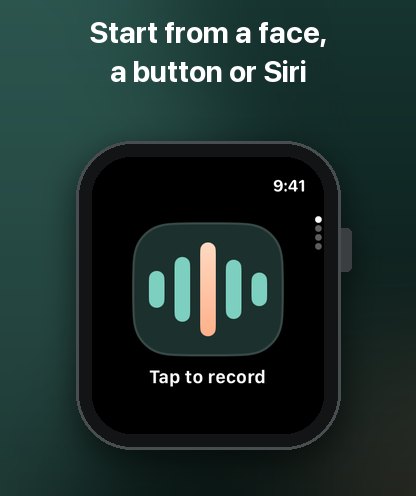
From the app, a complication, the Action button, Control Center or Siri. Lower your arm and talk as usual; it keeps going even with the iPhone out of reach.
Your iPhone sorts it out
Every few minutes the recording goes to your iPhone and is transcribed there: who said each sentence, when and where.
Reviews, reminders, answers
The day is reviewed, promises become to-dos with reminders, and whatever slipped your mind, you can ask.
Every part of life
The good things WristBrief brings
Beauty, happiness, love, work and play: the things said and gone, kept for you.
Life
Dinner with the family, a parent's passing advice, to hear again later.
Love
What you said on a date, the little things you promised, a nudge before the anniversary.
Work
A meeting's decisions, a client's ask, the deadline you gave a colleague.
Play
The songs you sang at a concert, jokes with friends, where you'll go next.
Travel
On a plane with no signal, it still records and transcribes; it's text before you land.
Off the grid
Snowy peaks, wilderness, desert: no signal, and still every word your companions said.
On your wrist
All of it, a raise of the wrist away
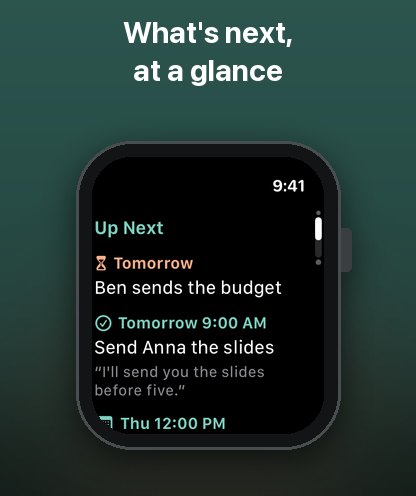
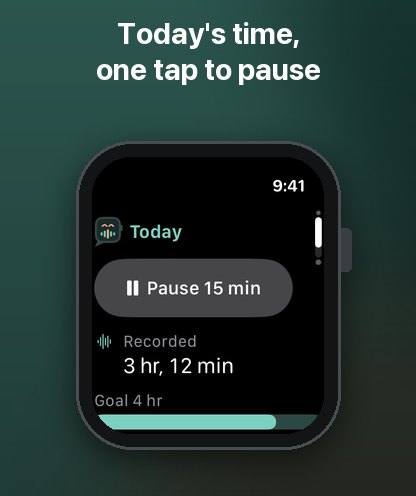
Record, ask and see what's next on your wrist, without reaching for your phone.
What it does
Everything said in a day, found again
From a single sentence to a whole week, WristBrief turns what was recorded into something you can use.
A review of every day
A short summary and an hour-by-hour account. No notes to take, nothing important forgotten.
- The promises you made, as to-dos you can tick off
- A reminder on your iPhone and watch before one is due, with the moment you said it
- By place: every recording belongs to where it was made, on a map with what you did there
- If you like, each reviewed day drawn as a comic page
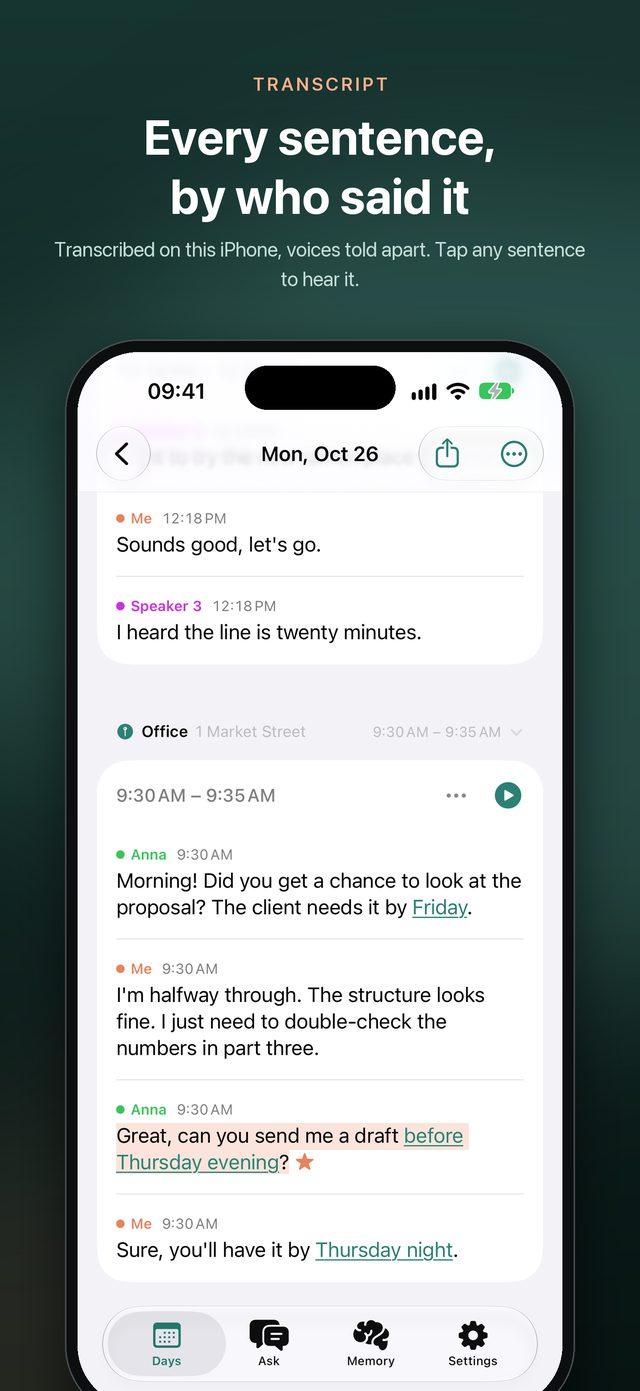
Every sentence, and who said it
Speech is recognized on this iPhone, not in the cloud. The day reads as the conversations it was.
- Voices told apart on device: you, Anna, Speaker 3
- Name a voice once and it's named everywhere
- Add names and terms so they're spelled right
- Tap any sentence to hear it; other languages translated beneath, on device
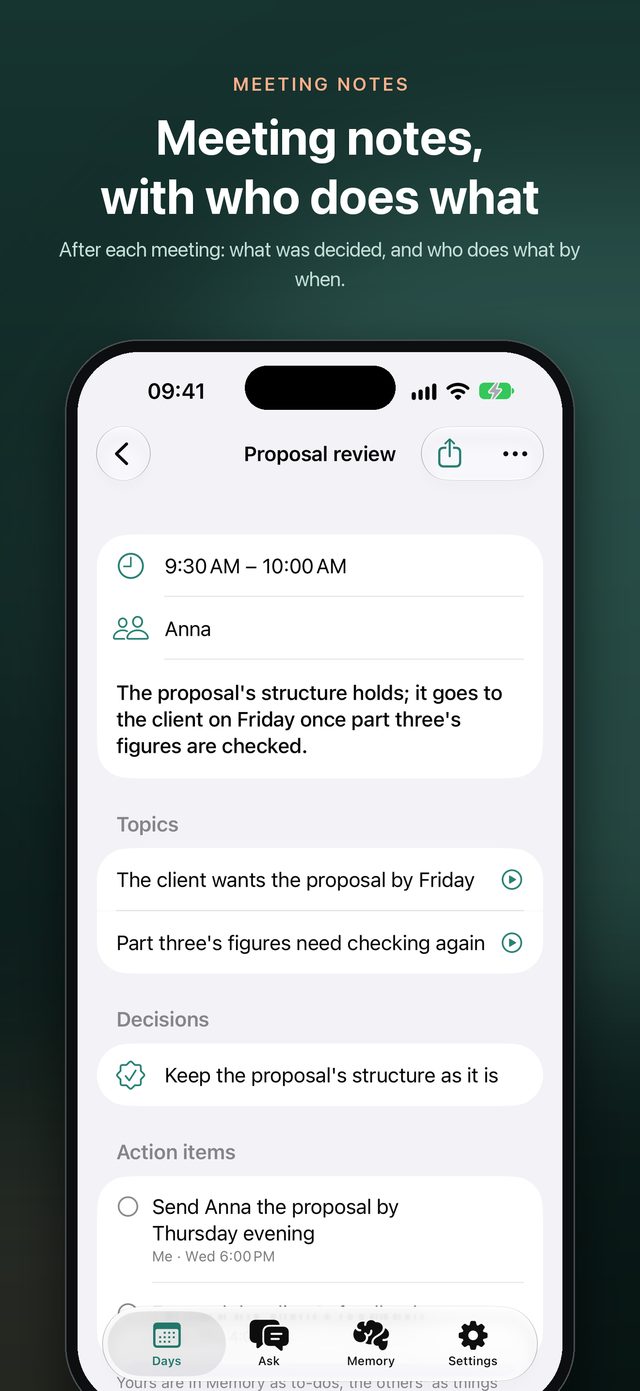
Meeting notes, written for you
No watch needed in a meeting: lay your iPhone on the table and tap record.
- Meetings found in your calendar, or marked from any moment
- After each: the conclusion, topics, decisions, and who does what by when
- Your action items become to-dos; others', things you're waiting on
- Share the whole notes, or just the action items
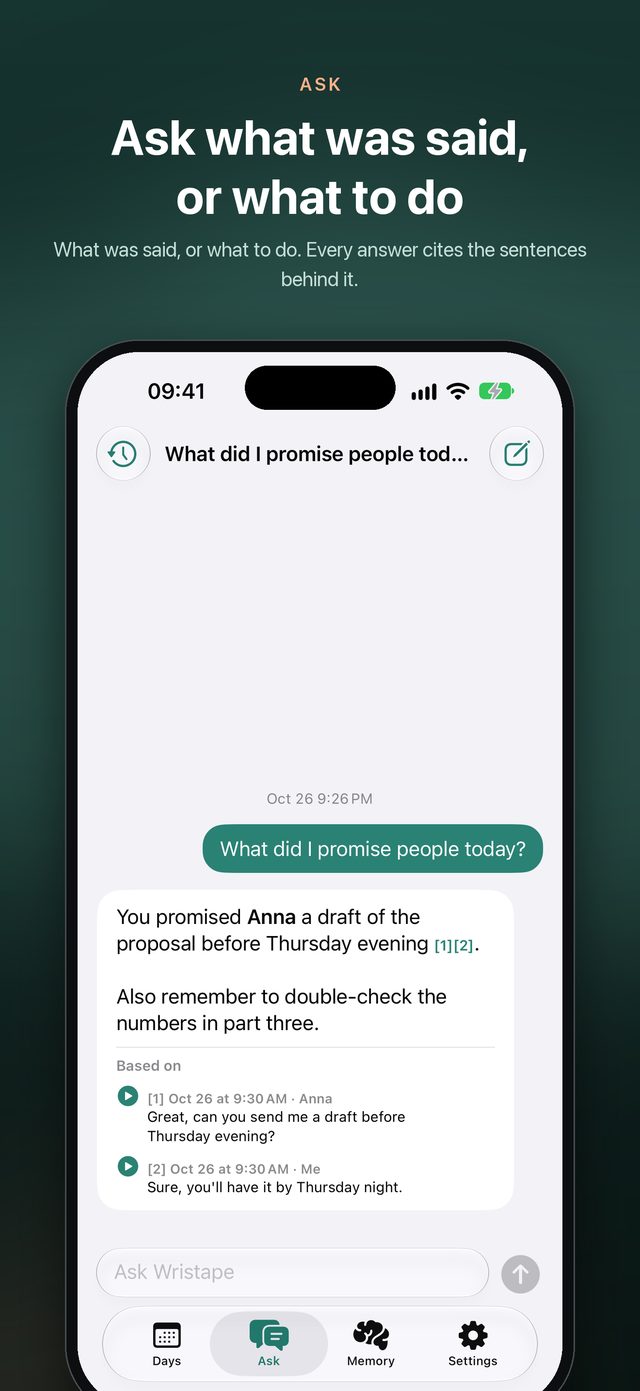
Ask about anything you heard
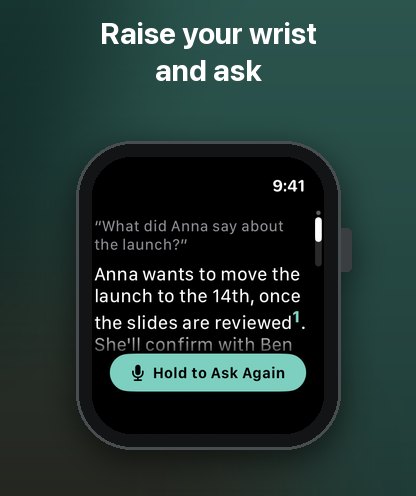
"What did I agree to do this week?" "What did the doctor say about the dose?" Ask in your own words.
- Every answer cites the sentences it rests on, to play
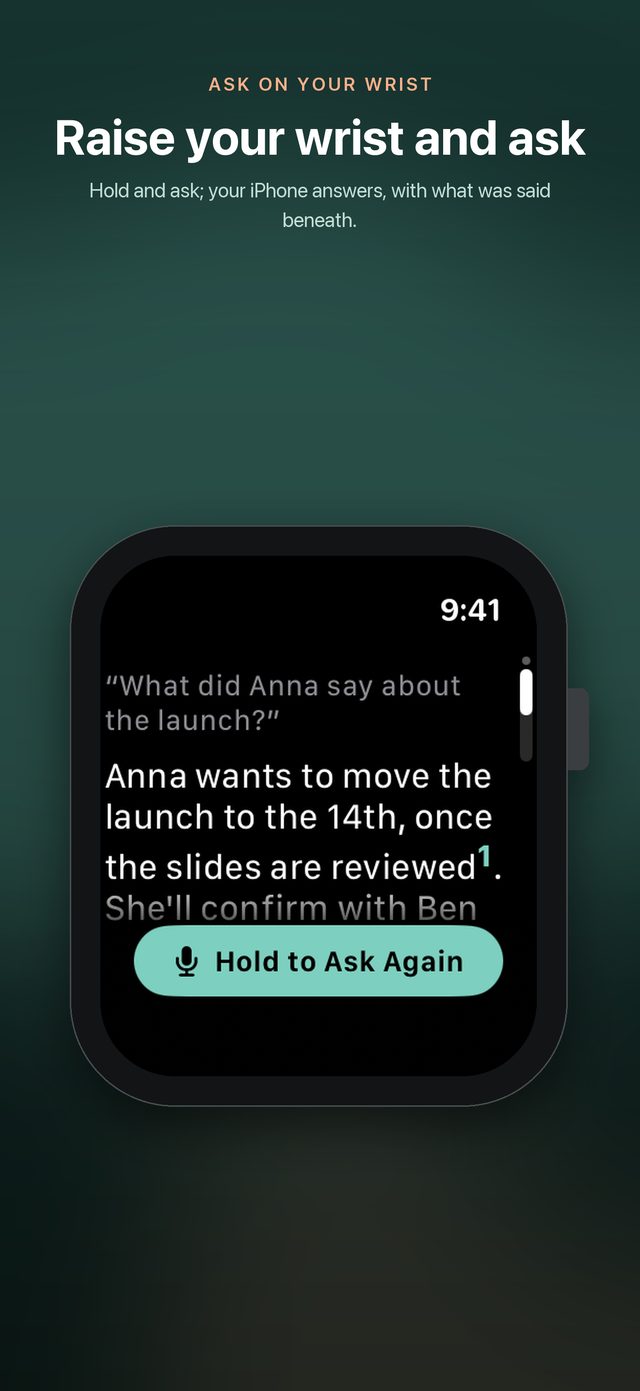
- Raise your wrist, hold and ask; the answer comes back to the watch
- Search every word you've recorded, from Siri and Spotlight too
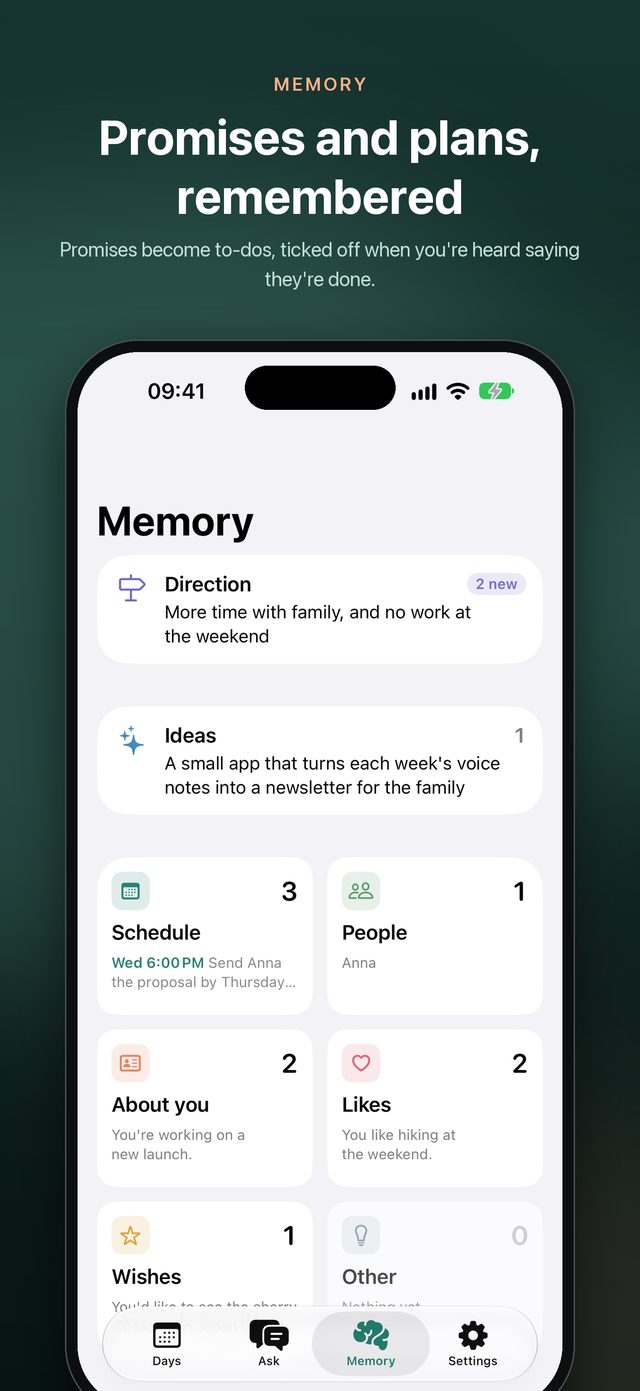
A memory that thinks with you
People, likes, plans and wishes worth keeping, sorted and kept, each yours to edit, set aside or delete.
- Said twice, kept once; no longer true, put away
- Hears "I sent it" and ticks the to-do off
- A page for everyone you talk to: when you last spoke, what's open between you
- Time to catch up: who you haven't spoken to in a while, and what to ask them
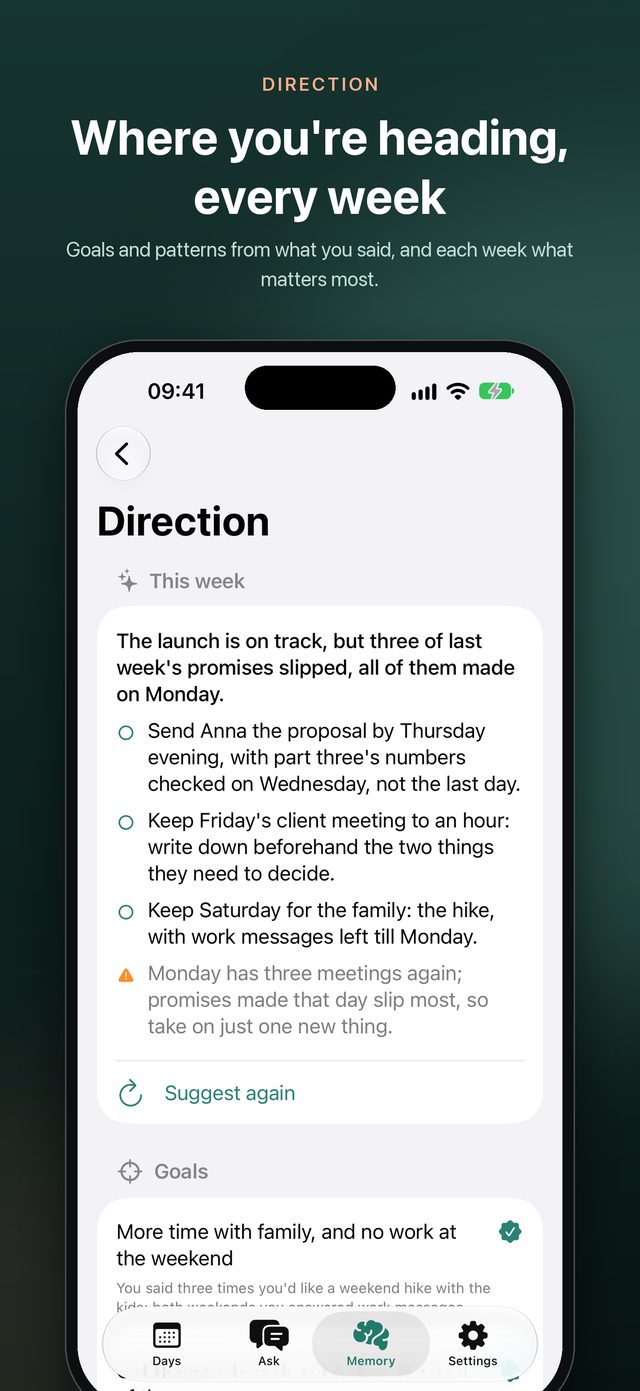
Each week, what to do first
From what you said, the goals you're working towards and what keeps happening, each with what it rests on, yours to confirm.
- Monday morning, what matters most this week and a few steps
- Before a meeting, what's still open with them and what to aim for
- Looks back at each week and month
Where it was said, a tap away
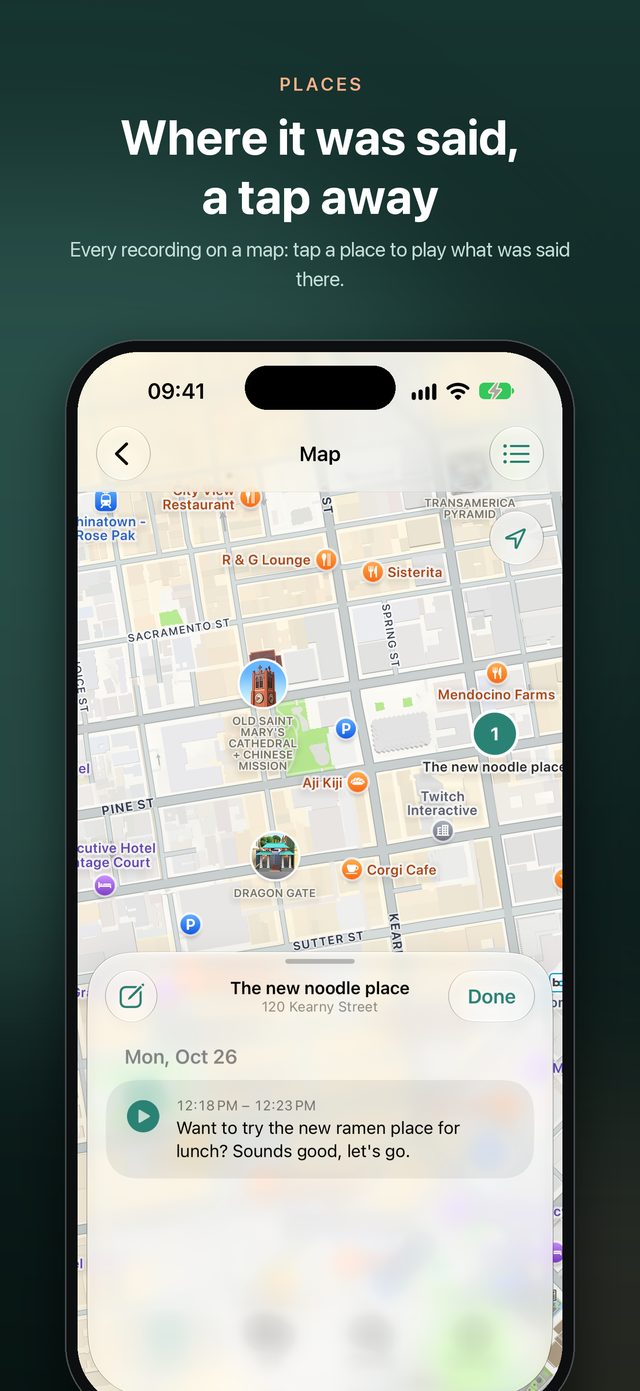
Turn on Note where you go, and every recording belongs to the place it was made, named down to the building or the shop.
- Each day's recordings grouped by place, to fold away
- Give the places you go your own names, like Home or Office
- All your recordings on a map: tap a place to play what was said there
- Reviews say where things happened; places stay on your iPhone
Privacy
No server, no account, only yours
What it records is your life, so WristBrief is built never to hand it to anyone.
Audio, transcripts and voices stay on your watch and iPhone. WristBrief has no server of its own.
Open it and go. No tracking; only anonymous usage counts, never what you recorded.
Add a clinic or a client's office, and your watch stops recording when you arrive.
Opening WristBrief takes Face ID, Touch ID or your passcode, and the app switcher shows nothing of it.
Back up to a file in Files, iCloud Drive or on a computer, encrypted with a password if you like.
A day, a recording, or everything: yours to delete.
Who writes the reviews
Your iPhone's model, or one you choose
Summaries and answers are written by the AI model you choose. Only the text each request needs is sent, straight from your iPhone.
The default, all on device; needs Apple Intelligence turned on.
DeepSeek, Qwen or another compatible service with your own key, billed to you by the provider.
Requirements
What you need
FAQ
You might ask
Can I use it without an Apple Watch?
Yes. Tap record on your iPhone, or lay it on the table in a meeting. The watch makes recording go everywhere with you, but it isn't required.
Where do recordings go?
Nowhere. They go from your watch to your own iPhone, where they're transcribed and kept. Only if you choose a cloud model is the text a review needs sent, straight from your iPhone to that service.
Does recording all day drain the battery?
The watch hands a recording to the iPhone every few minutes, which uses less than streaming; transcription happens on the iPhone, and what's left catches up when you open WristBrief. Pause for 15 minutes, or hold to stop, whenever you like.
Is it all right to record other people?
Ask for their consent first, and follow the law where you are. Pausing, quiet places and deleting make it easy to stop when a conversation isn't yours to record.
What about a new phone?
Make a backup file in Settings, keep it in Files or iCloud Drive, and open it on the new iPhone to restore. Restoring adds what's missing and never replaces what's there.
Does it cost anything?
WristBrief is free. If you choose a cloud model, the provider bills you directly.
Let your wrist remember
WristBrief is on the App Store, free, in English, Chinese, Japanese, Korean and German.
Download free on theApp Store